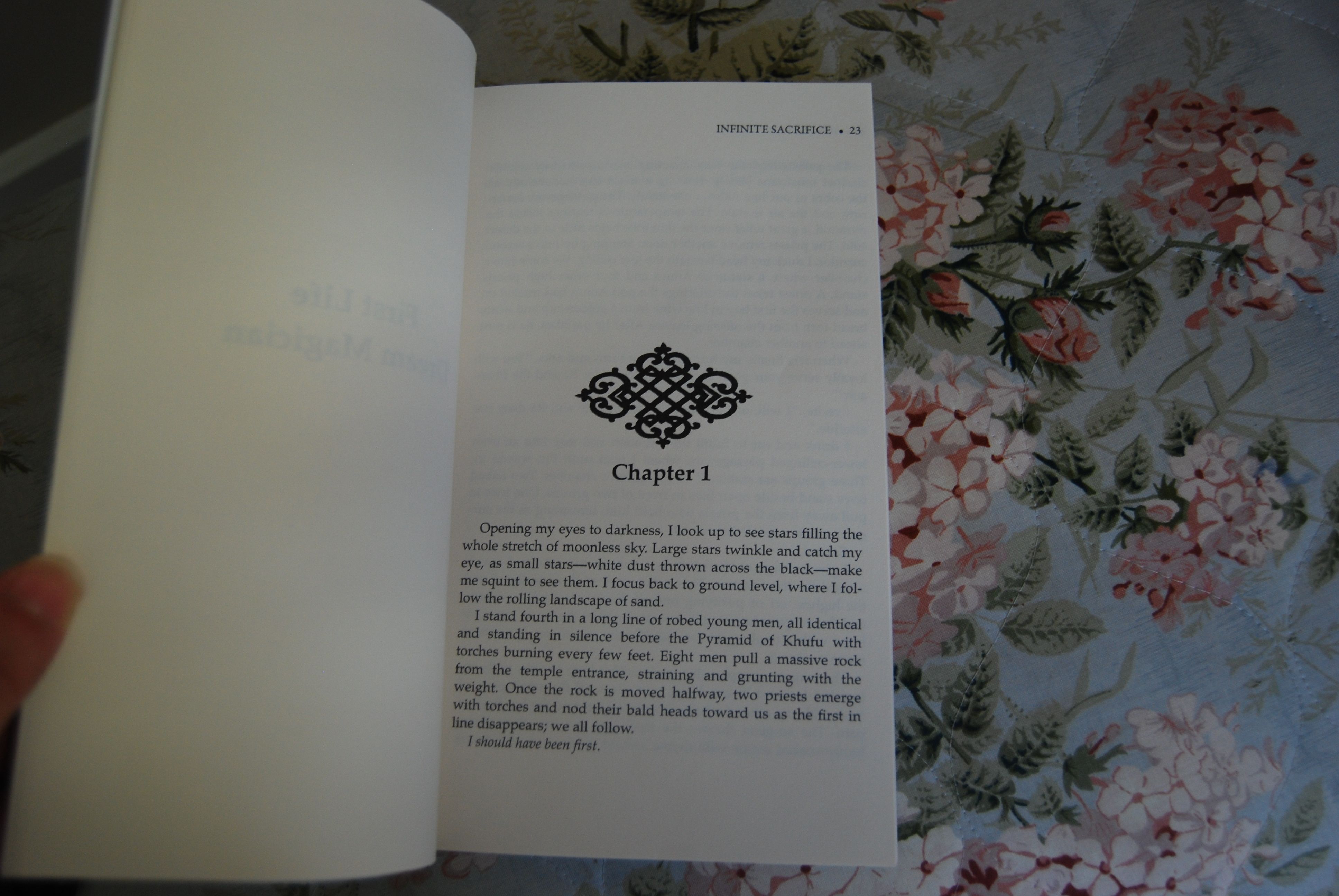
Due to a nasty cough that is circulating around my house, I’m neglecting my blog today. Hopefully, I will dodge this germ and be up and be back and blogging on Wednesday. Don’t forget to enter the giveaway!
Archive for the ‘Uncategorized’ Category
Taking a sick day
Posted in Uncategorized on November 14, 2011| 2 Comments »
Editing for dummies
Posted in Uncategorized on October 19, 2011| 9 Comments »
I never feel dumber than when I receive my ms back from my editor. Nevermind the fact that this time I went through specifically looking for all that she pointed out before. These are all the new things I got wrong this time around:
1) I overused the word look/looks/looking/looked. Sad thing is I think I did a search for this word before I sent it off so I need to open a thesaurus for this exhausted verb.
2) On occasion I began sentences with And or But, apparently these make weak sentences and my editor suggests just removing them.
3) She flagged many run-ons and comma splices and suggests to use periods or semi colons.
4) Many words were repeated close together. These are so hard to point out to yourself.
5) I need clearer sentence tags in instances where I have people talking of the same sex.
I wish I could see what someone else’s draft looks like after an editor return so I might feel better at all these corrections. But then again, that might depress me if I saw much cleaner versions. Part of me worries that if I keep making my editor work this much she’ll realize it’s not worth the time and money to help me or she’ll increase her charge since I make her work so much more.
Honestly though, the corrections were half the amount this time than the first of the series, so I guess I’m improving, but I really thought I’d done a good job this time…oh well, maybe by the fourth of the series I’ll impress her with my grammatical improvement.
Why I haven’t posted…
Posted in Uncategorized on September 20, 2011| 4 Comments »
So sorry for the delay everyone. I’ve been in baby heaven this whole week! I had a fantastic and virtually pain-free delivery and I’m over-the-moon with this little cutie:
My sweet little Annabelle
I might have to delay a few more posts until I can bear to put her down for the computer, but I will be back in action and working toward my launch once again soon I promise!
9/11: Ten Years Gone By
Posted in Uncategorized, tagged 9/11, September 11th on September 9, 2011| 1 Comment »
With so many things in life there seems to be a strange confliction in how much time has passed. When I think of where and who I was ten years ago, it seems like just yesterday and an eternity has gone by. So much has changed since then–so much in my life and so much in the world.
I was in my last year at college, living off-campus in the middle of rural Pennsylvania. That morning I was already cleaning out cages at the wildlife rehabilitation center where I interned. I was sent back to the work shed to get another wheelbarrow and heard on the radio, that was left on all day regardless of an audience, that a small plane had hit the World Trade Center. I heard it just as I was walking back to the bear cages and it seemed like the newscasters where doubting the information and many thought if it was anything it was only a small wayward private plane crash.
I told the owners of the center what happened and they shrugged their shoulders and we continued to clean and feed the animals. I jumped into my jeep wrangler and headed home on the country road, listening to John Denver, and passing beautiful Amish farms. The crisp sunny autumn weather made me yearn for an apple cider candle. I decided to stop at a candle store and found the shop eerily empty. I located the two cashiers in the back of the store with hands over their mouths watching two buildings burning on the small TV. They didn’t even turn at my presence and I realized something was horribly wrong. I rushed out the store and turned on my radio as I speed home. On the way the first tower collapsed and I ran into my little house to see what they described on the TV. It was such a gut twisting sight, to see that tower cave in. I remember feeling that it all must not really be happening. That this was such a profound event that it couldn’t possibly be true. Strange how shock interferes with reality.
I called my mother first and tried to think of everyone I knew and if they worked in the area. My mind even raced to figure out if anyone I knew was flying on a plane that day. I had a sister that had flown out only days before from the same airport they hijacked the planes from and a sister who normally worked in NYC was vacationing in France. Thankfully everyone I knew was safe that day. The boyfriend I was with at the time worked in Paramus, NJ directly across from the Towers and his building had bomb threats right after the attacks. He could see the World Trade Center towers smoking and saw the whole area consumed by the dust cloud. It took him all day to get to my house with the bridges being closed due to terror threats. Classes were canceled and I stayed glued to the TV for the next few days. I drove home the following weekend and cried when every bridge I passed had our stars and stripes hanging from it. Houses all flew their flags as well as passing cars. I will never forget that incredible feeling of patriotism surrounding me.
So now it’s ten years later. The anniversary ground zero readings all seem to blur to a single rainy, tear-filled day. I’ve graduated, said goodbye to that boyfriend, found a job completely unrelated to the animal behavior major in NYC, got married, had my first child, and now I’m about to have my second. It’s quite possible that he or she might be born on that day and I’m not so sure how I feel about that. Obviously what’s meant to be is meant to be but it’s day filled with so much emotion, I wonder if it has room for any more?
All of us who were alive on that day can relive each detail this Sunday. It’s a day etched and fortified in our memories…the day that can never be lost.
How are you feeling on this day? Does it really feel like ten years have passed? How have these ten years changed you?
Gone Fishin’
Posted in Uncategorized on August 2, 2011| 3 Comments »
Due to a fantastic vacation I will not be posting this whole week! See you next Monday 🙂
Revising Blues
Posted in Uncategorized on July 13, 2011| Leave a Comment »
(Okay, well it could be worse)
With all the work I’m doing to get my first book in the best shape possible, doing all the research for self-publishing, and even trying to revise the second book in my spare time (what’s that?), I find myself dreaming of writing again.
When I started writing my series, researching all day, and writing at night the word count piled up, and story after story kept flowing. I remember keeping a pad of paper handy after showers, car trips, and walks just jotting down all the little bits of inspiration that popped up all the time. The writing was going so well that I was going to write all four books before rewriting but worried that I needed feedback from beta’s, work-shoppers, and agents to be sure I was on the right track.
So began the revision and rewriting process…and it seems never-ending!
The more people look at my work, the more things I find to tweak and change. Every time I look at those familiar jumble of words I see ways to improve sentences and flow. So the question I ask is will this ever seem ready for me?
I’ve heard of people who get stuck in the revision process and they never get their work out. I would have never thought I would be that sort of person due to my impatient nature and lack of love for editing, but I want this book to go out as best as I can get it. Is this one of the draw backs of self-publishing? That we don’t have people over us, cracking the whip saying “do another draft” or “change this, this, and this” and “don’t touch another blessed word!”
Do serious self-publishers take longer to feel that their novel is done? Will there be a time where I read through my MS and angels chime in the far background as my last page glows…perfection!
I doubt it, but I set that date so I don’t have a choice! 11-11-11 looms over my head, beating like the tell-tale heart.
So for now I must keep staring at these memorized-by-now words, endlessly reading about self-publishing, and getting to memorize the sequel’s words…focusing on the one glorious day I will get to create again!
This too shall pass…this too shall pass…
Ode to Spell Check
Posted in Uncategorized on July 8, 2011| 1 Comment »
It’s a beautiful day so I’m going to get my son out early and head to the beach 🙂
So just a quick post today and I wanted to spend this time to thank the little thing I would seriously panic without–
spell check
I was not the kid getting in line for spelling bees or the kid who was especially interested in grammar rules. When teachers put sentences up on the board I began doodling in my notebooks. Later, I always needed someone to look over my term papers and one teacher once told me that I could be a terrific writer one day but would need a fantastic editor 🙂
After I finished the third book in the series (yes, I wrote like crazy for a whole year) I realized if I really wanted this out I needed to finally pay attention to all the rules. I bought books and searched writing blogs. I went through each draft with each specific grammar rule. I just kept searching and deleting and restructuring.
I was really absorbing a lot of this stuff for the first time and could tell my future writing began to improve. But the one thing I still need is that blessed, little ABC icon. I feel so secure having it there, knowing that it will catch most of the mistakes I make. It allows me the confidence to put myself out here on this blog.
Nothing like a few spelling errors when your trying to sell yourself as an author.
Alright, off to the beach! Happy Friday everyone!
Phew! The Book Trailer is Done!
Posted in Uncategorized on July 6, 2011| 4 Comments »
Wow! That was so much easier than I thought and I’m so pleased with the results. I’ve posted it up on my Book Trailer page and please let me know what you think!
Even though I’d been searching and collecting images for a bit before, the actual process of creating the video clip took me about a day and a half. I never used iMovie before so this was learning completely from scratch. I wanted to let everyone know exactly how I did this so anyone can create one themselves–and I’m no techy so seriously anyone can do this.
Step 1) First, I opened up a new project on iMovie and titled it. Then I downloaded all the images I collected free and some I purchased to iPhoto (not sure if there is a direct way to just download it to iMovie, but remember I’m figuring this all out on my own and this way worked). When I clicked on the camera icon on my iMovie page there was all the photos I wanted when I highlighted last months photos. I was able to just drag each photo to the desired placement of my new project.
Step 2) Once I got them all in the order I wanted I went to Kevin MacLeod’s website, searched the mood I wanted, and I sampled some fantastic choices. I knew immediately which song I wanted to go with and I downloaded it to my iMovie. I clicked on the musical note tab to drag the song to my project. The music shows up as an encompassing highlight around your pictures. It will go as long as you have pictures or when the song ends. I found I had to delete a few images to fit the song time (click on the clip and press delete).
Step 3) Now I tried it out with the music by hitting the play button. I realized I needed to change timing to get each image in time with the music. Each image gets a default time of 4 seconds so in order to change them you must click on the image until clip duration pops up and you can type in exactly how long you want the image to appear. If you want all the images that duration you check the box to apply to all clips, otherwise leave it unchecked to specify this one clip. I found I needed to tweak each time to fit perfectly with the music and this did take some time.
Step 4) When doing step 3 be careful not to be completely exact since you need to put some transitions between clips to make it all smooth. Next to the camera icon and the musical note icon is an icon for transitions. Click on that and you can highlight each option to display how the transition appears. I decided to use two different transitions to decipher between the lives and within the lives. I used a flash between the lives and the cross dissolve between the others. Drag the transition and place between the desired clip and click on it to set the timing of the dissolve.
Step 5) Hit the play button again to perfect the timing EXACTLY to the music. This takes some time.
Step 6) To finesse the look further you can apply cropping, Ken Burns effect, and even video effect. Click on the image and under the clip duration box you see Video Effect. It defaults to None but when you click on it you get so many options to play with such as flipped, black & white, dream, sepia, and so many more. Once you choose the desired effect click on the cropping icon next to the microphone. On the side bar of your clip you’ll see three options Fit, Ken Burns, and Crop. I mostly chose the Ken Burns since it allows you to zoom and move the image however you want. This looks wonderful since it adds movement to the stills. When you click this effect a red and green box appears on the image. If you click on the green ‘start’ box you can control the size and placement of where the image will begin. Then you do the same for the red ‘end’ box and by overlapping or separating them you get as much movement as you would like. This is another part where you need some time to get it just the way you want.
Step 7) Now you’re ready for text. It’s best to try to be as laconic as possible. Write out a script on a piece of paper and try to remove any unneeded words. Your job here is to give your potential reader the impression and feel of the book. A brief outline of what’s in store for them and to entice them into going to your website to read more and hopefully buy. You’re trying to grab them, so the fewer words the better. Go hit the upper case T button between the camera button and the transition button. You’ll get some different placement options and text effects. Once you’ve picked the one you want drag it to the clip. Click on the clip and the text box will appear where you wanted it. Type in desired text and if you’d like to change the font, click the font button that appears above the image your working on. You’ll get some options of text, color, size, style and alignment to play with but if you want more text options you can click on System Font Panel. It’s a great idea to always include your cover, website, and planned launch date at the end. You can always go back and take the date out later to use after the launch.
Step 8 ) Watch the whole project again and perfect everything. Once it’s exactly the way you want it go up to the File button and select finalize clip. This will take about 40 minutes. Once that’s done go to the share button and select the YouTube option and upload it (you’ll need to sign up for a YouTube account before this step if you didn’t already have one). Make sure to specify if you want this clip viewed privately or publicly. Since most of us want as many people as we can to see it, most will choose the public option. Click the view option as soon as that’s done and you’ll see your original, amazing book trailer up for everyone to see!
Step 9) You want to be sure to give the specified credit under the descriptions box on YouTube for Kevin MacLeod’s music–and if you haven’t already donated to him for the clip you should do so now.
Step 10) Now it’s time to send this link out to friends and forums to get feedback if anything needs to change. Once you feel confident that it’s as fantastic as you can make it. Email it out to all your contacts, post it on your blog, send it out to guest blogs, feature it on your Facebook account and every possible place you can send it! Let this be your calling card!
So that’s it! Hopefully I made this easier for everyone–remember a special note–I’m not tech savvy and this might have been completely round-about way to do this, but I did it and if you need help follow this and it does turn out pretty awesome if I do say so myself!
Good luck to all you out there and feel free to comment here if you have any questions. I’ll try my (technologically-challenged) best to help 🙂